Introduction to ucando
ucando is your AI assistant for everyday work. Ask questions, have texts drafted, analyse files and create images – all in one chat.
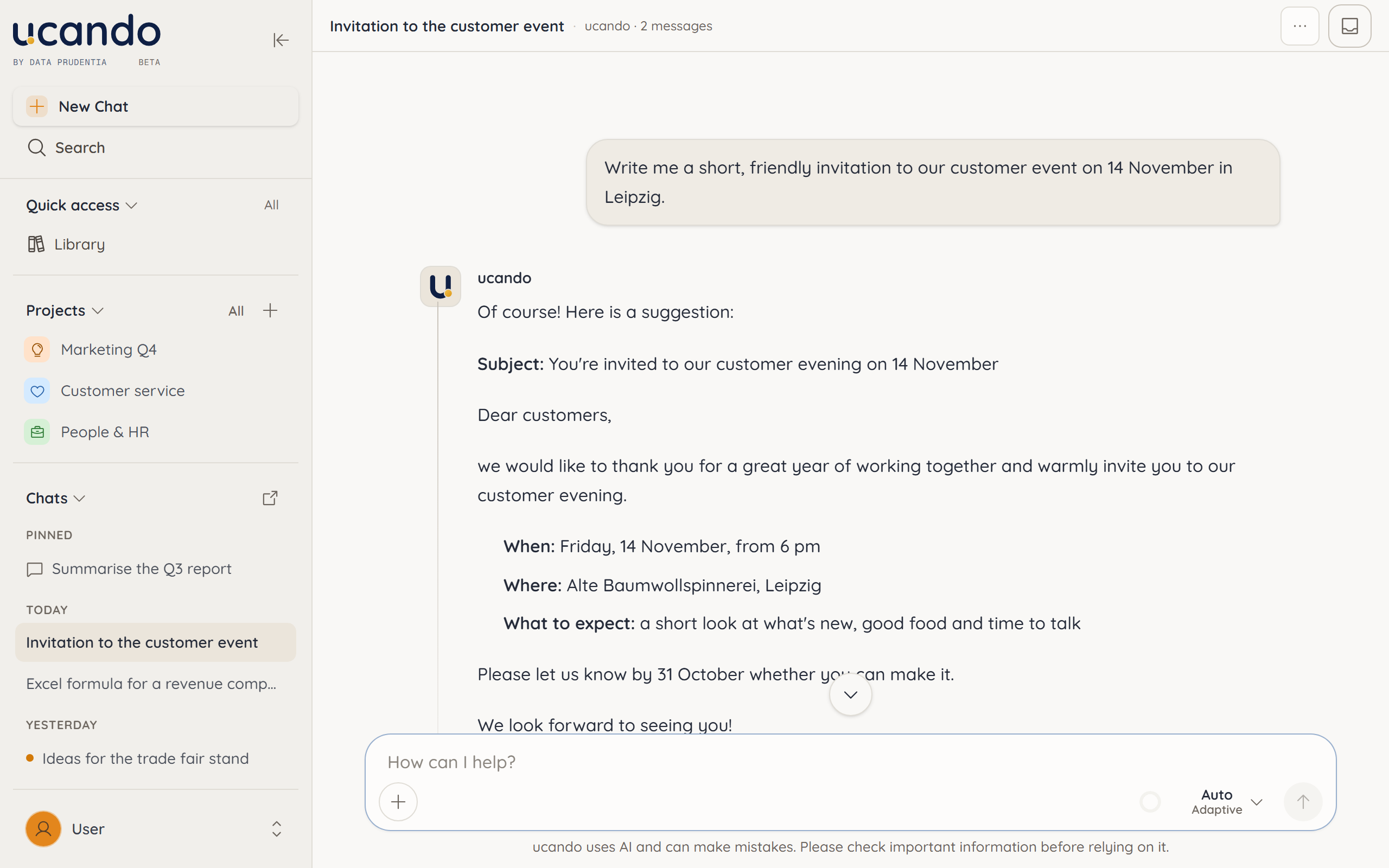
Welcome to the documentation
This is where you find everything you need to work with ucando. Each page explains one feature: briefly, step by step and with pictures from the app.
- Chat – Ask questions, have texts drafted and refine answers in the conversation. See Chat basics.
- Models – Let ucando pick the right AI model or decide for yourself. See Choosing a model.
- Files and Library – Attach PDFs, Office files and images and reuse them in any chat. See Attaching files and The Library.
- Web search and images – Let ucando research the web, with sources, and create images from a description. See Web search and sources and Creating and editing images.
- Projects – Bundle the chats, files and instructions of one initiative. See Introduction to projects.
- Memory – If you want, ucando remembers what matters to you and takes it into account in later chats. See Memory.
- Plans and usage – Keep an eye on your credits and manage your subscription. See Plans and credits.
- Administration – As a tenant admin you manage ucando for your company. See Introduction to administration.
Getting started
Signing in and creating an account
Sign in or create your account.
A tour of the interface
Get to know the sidebar, search and user menu.
Your first chat
Ask your first question and keep working with the answer.
Choosing a model
Use Auto or pick a model yourself.
Help and support
If you get stuck, open your user menu in the bottom left and choose Help. It holds this Documentation, an overview of Keyboard shortcuts and Report Bug.
Send us questions and ideas straight from the app: under Messages, use New request to ask a question, report a problem or suggest a feature. Our reply shows up there too. See Sending a request and the FAQ.