Web search and sources
Let ucando research the web – with current information and sources you can check.
With web search, ucando draws on current information from the internet, for example for news, prices, regulations or market comparisons. Every statement from the web is linked to its source.
Web search is available on every plan; each search costs credits. See Plans and credits.
Switching on web search
- Click + in the input field and choose Web search. In a new chat you can also use Web search below the input field, or / at the start of the input.
- The web search icon appears next to +, with a dot.
- Ask your question.
While web search is on, ucando searches the web with every message. It stays on until you click its icon or open another chat.
You can switch on several tools at once, for example web search and Create image. From three tools on, the input field folds them into one button; a click shows the list, where you switch each off with the cross. On a phone there is always one button: tap it to switch the tools on and off in the Tools sheet.
Even without the switch, ucando searches the web on its own when a question needs current information. The switch makes sure it always searches.
Following the research
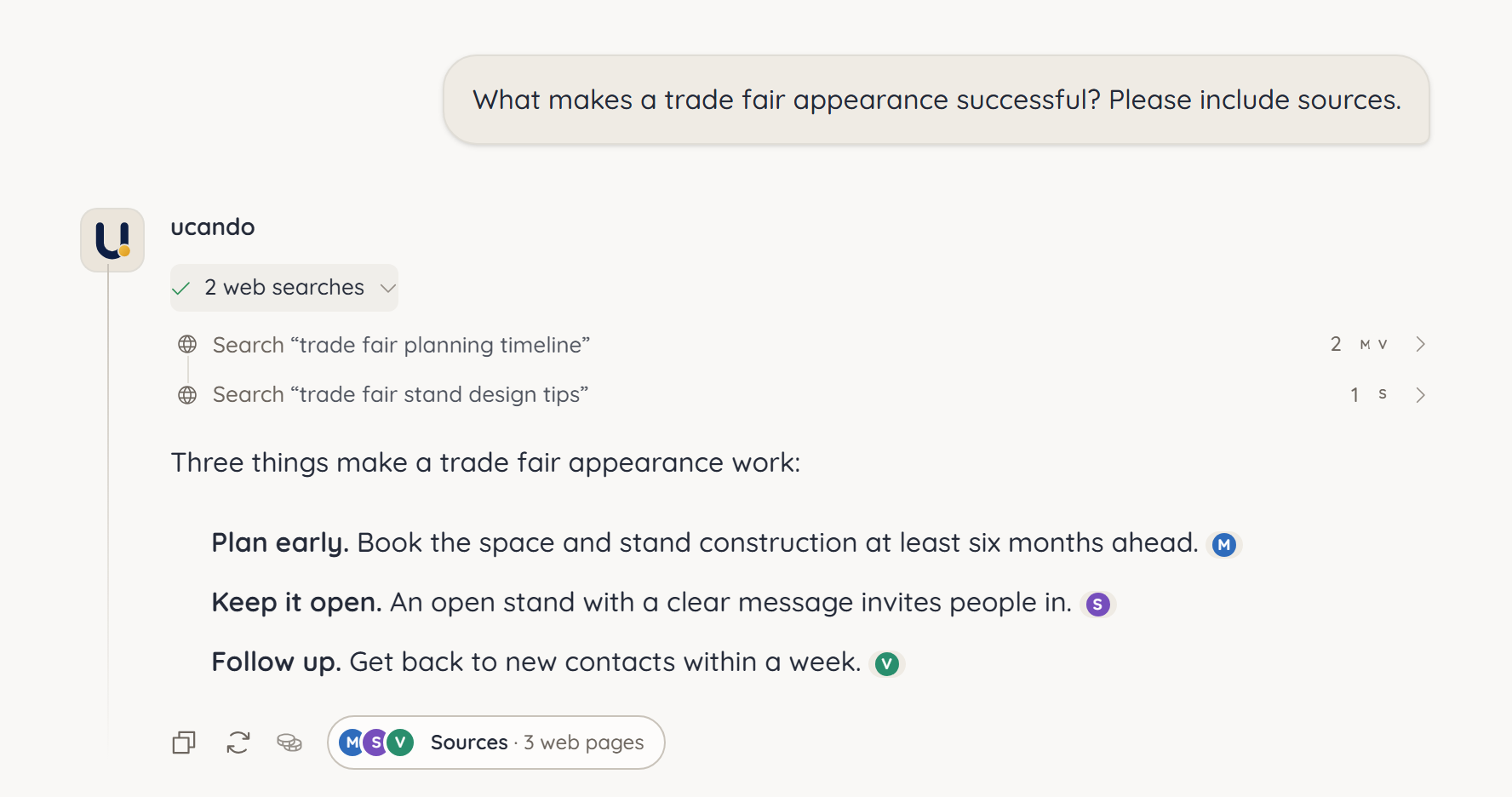
Above the answer, a line shows what ucando did, for example 2 web searches. Click it to see each search query with the sources it found. Another click on a search shows the summary and the list of pages.
Checking sources
In the answer text, each statement from the web is followed by the website's icon. When a statement rests on several websites, up to three icons appear. Point at them to see the address, for example brevo.com.
- Click the icon. The sources open with the page for that statement highlighted.
- Cited lists the pages the answer refers to, More results everything else the search found.
- Click a page to open it in a new tab.
You can also open all sources of an answer with the Sources button next to Copy and Regenerate, for example Sources · 8 web pages.
Web pages can be outdated or wrong. Check important details in the original source before relying on them.
Good questions for web search
- Name the period and region: “Which funding programmes for solar panels are available in Saxony in 2026?”
- Ask for a comparison: “Compare the three best-known project management tools by price and features.”
- Ask for evidence: “Summarise the latest news on the AI Act and name the sources.”