Chat basics
Send, stop, edit and copy messages, regenerate answers and manage your chats.
Sending and stopping messages
Type your message into the input field and press Enter. Shift+Enter inserts a line break.
While ucando is answering, the send button turns into Stop. Clicking it halts the answer. The text written so far stays and is marked Stopped. Send again starts the answer over.
Editing a message
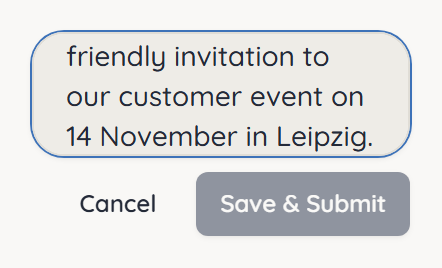
- Hover over your message and click Edit.
- Change the text.
- Click Save & Submit or press Enter.
ucando then answers the edited message. Cancel or Esc discards the change.
Regenerating an answer
If you don't like an answer, hover over it and click Regenerate. ucando writes a new answer to the same question.
Switching between versions
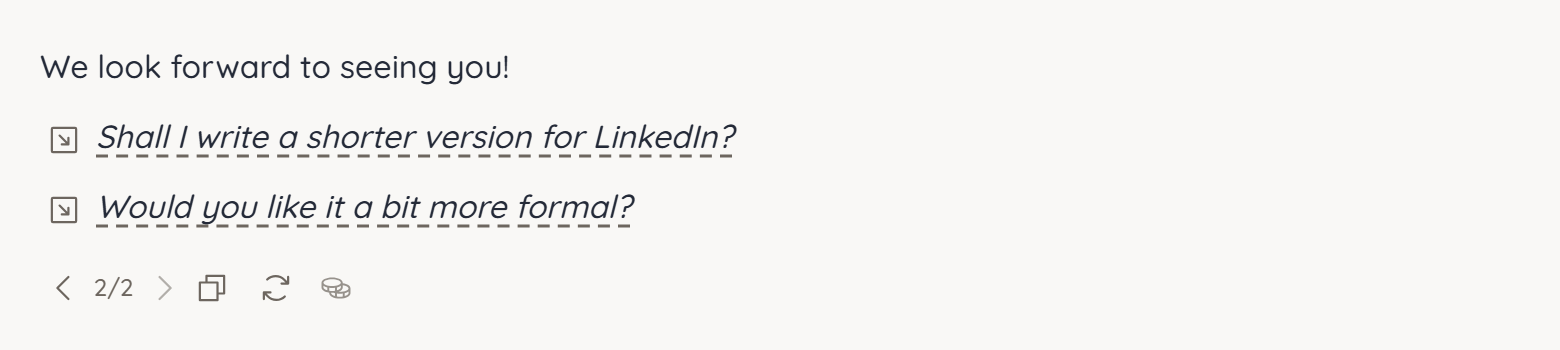
Every edit and every regenerated answer creates a new version. Nothing is lost. Use the Previous version and Next version arrows to move between versions; the indicator shows, for example, 2/2.
When you switch to an older version, the chat also shows the history that belongs to it. If you keep writing, the conversation continues from the version on screen.
Copying messages
Hover over a message or answer and click Copy. The text goes to your clipboard. ucando folds very long messages of yours; Show more reveals the full text.
Renaming, pinning, archiving and deleting chats
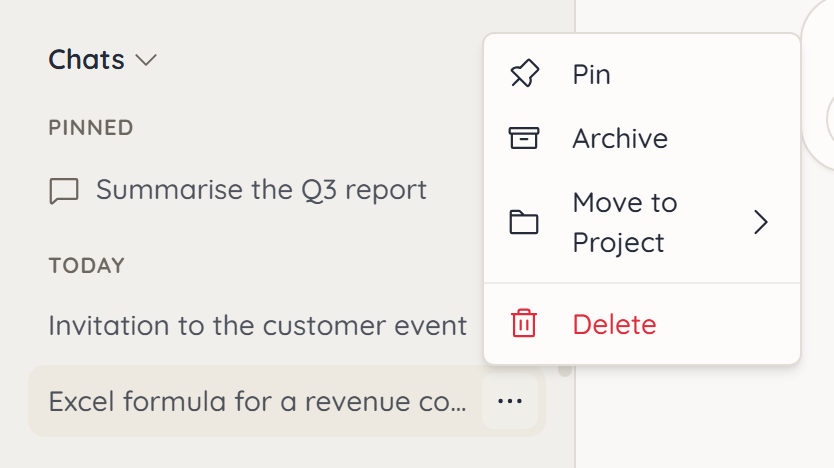
Hover over a chat in the sidebar and click More actions (the three dots):
- Pin – keeps the chat at the very top under Pinned. Unpin reverses it.
- Archive – takes the chat out of the sidebar. It stays searchable and can be restored.
- Move to Project – files the chat under one of your projects.
- Delete – removes the chat and all its messages for good.
You can also rename, archive or delete the open chat from the Conversation options menu at the top.
Deleted chats cannot be restored. If in doubt, archive the chat instead.
Showing tokens and cost
Under Settings → General → Token counter you decide whether ucando shows the tokens used after each answer:
| Setting | What you see |
|---|---|
| Off | Nothing |
| Simple (total only) | The total number of tokens |
| Normal (input/output + total) | Input, output and total |
| Detail (click for breakdown) | Like Normal, plus a breakdown by source and cost on click |