Sending a request
Report a problem, ask a question or suggest a feature – straight from ucando.
Your requests go straight to the support team: with a company account to your company's administrators, otherwise to ucando. You get the reply under Messages.
Writing a new request
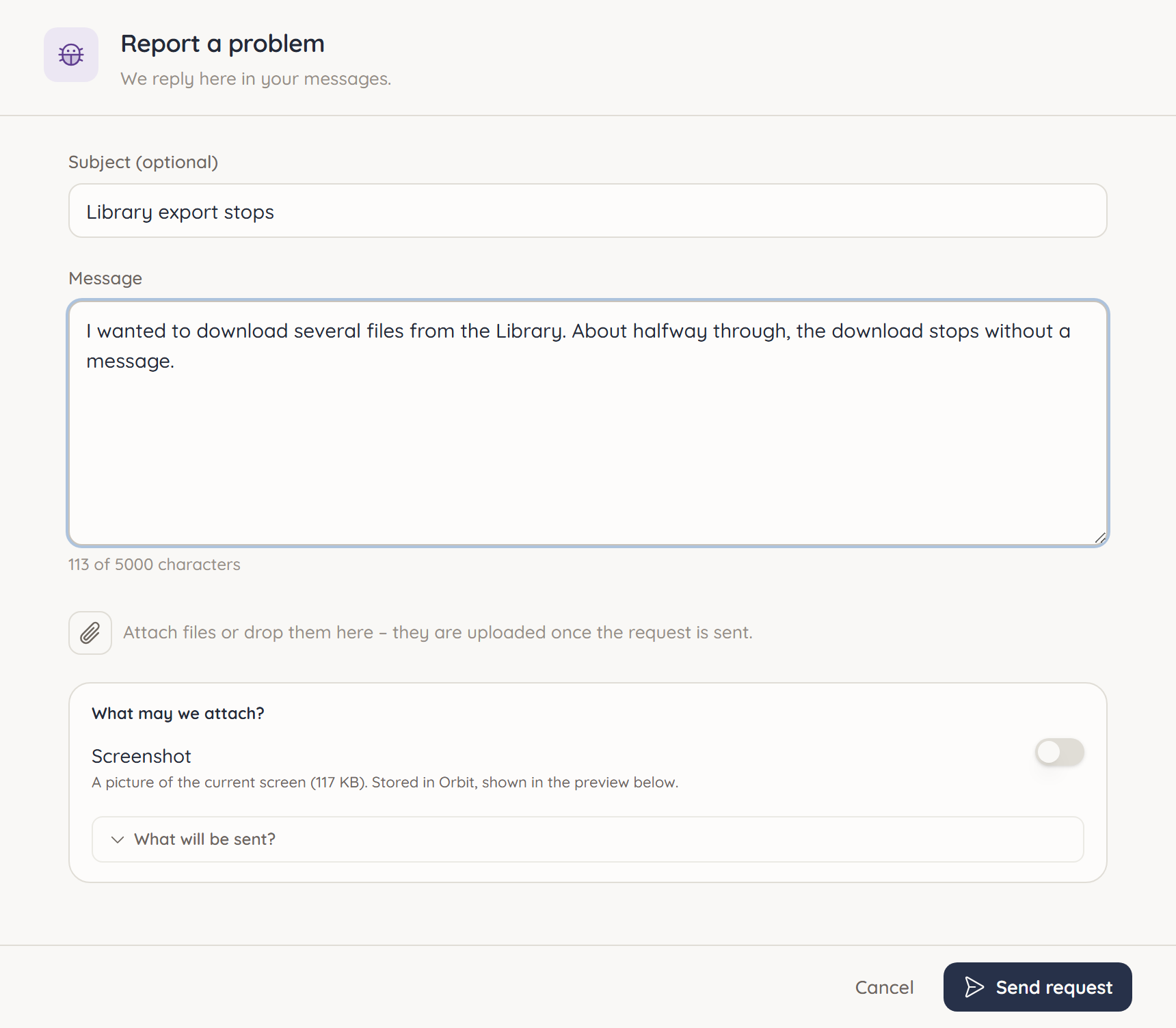
- Open Messages and click New request.
- Choose Report a problem, Ask a question or Suggest a feature.
- Optionally enter a Subject and describe your request under Message (at least 20 characters).
- Click Send request.
For a problem, it helps us if you write what you did, what you expected and what happened instead.
What is sent along
When the form opens, ucando takes a screenshot of the current page. Under What may we attach? you decide whether it goes along. What will be sent? shows exactly which data is attached, for example the app version, the page and any error codes. The content of your chats only goes along if you open the form from a chat and allow it.
Attaching files
You can drag files into the form or choose them via Attach a file: images, PDF, text, CSV, JSON or ZIP, up to 10 MB each and at most five per message.
Replies and follow-ups
After sending, ucando opens your request under Messages. There you see its status:
| Status | Meaning |
|---|---|
| Open | We have received your request |
| Answered | The support team has replied |
| Closed | The request is resolved |
Replies from the support team appear in the request's history. You answer in the field at the bottom; Ctrl+Enter sends. If you write on a closed request, it is reopened.
The Requests view shows all your requests at a glance.
Quickly reporting a bug
If something goes wrong in a chat, you don't have to switch to Messages first. In the user menu, open Help → Report Bug. The Report a problem window opens right on the current page. Under the type question you choose whether something doesn't work, or whether you have a question or a suggestion.
A failed answer in the chat also offers a report option. Then the affected conversation can go along if you want, which makes troubleshooting much easier for us.