Plans and usage
My Usage
See how many credits you have used – by period, day and model.
Open Settings in the user menu and choose My Usage. The section shows your current credit usage and your limits.
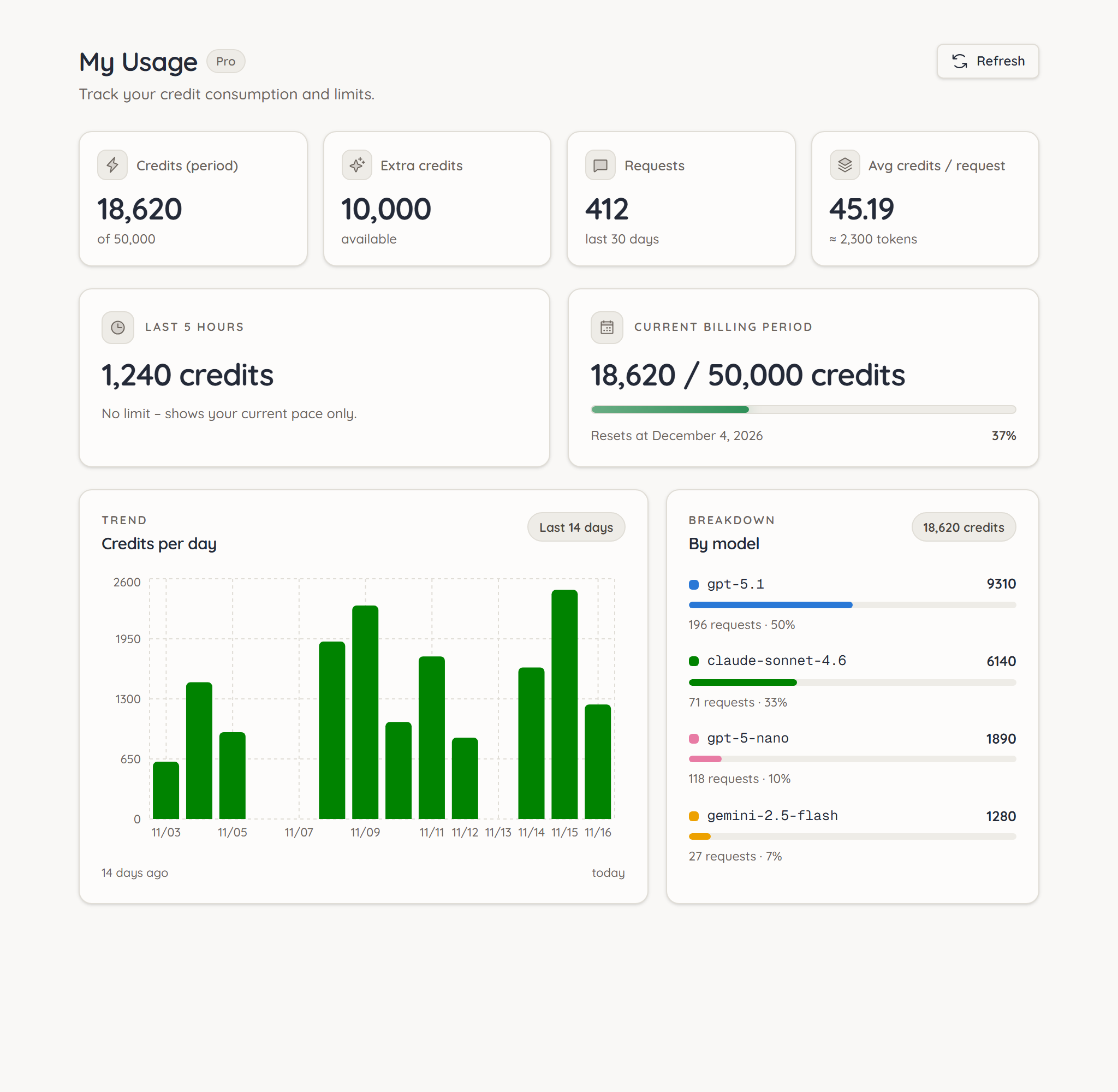
The key figures
| Tile | Meaning |
|---|---|
| Credits (period) | Credits used in the current billing period and your allowance |
| Extra credits | Extra credits you bought that are still available |
| Requests | Number of your requests in the last 30 days |
| Avg credits / request | How many credits a request costs on average |
Allowance and pace
- Current billing period shows how much of your monthly allowance is used and when it resets (Resets at …).
- Last 5 hours shows your current usage pace. It is not a limit but an early warning: if the pace rises sharply, ucando tells you in the chat.
On the Pro plan your billing period follows your subscription date, on the Free plan the day you created your account.
Trend and models
- Credits per day shows your usage over the last 14 days, so you can spot days with especially high usage.
- By model breaks down which model used how many credits, with the number of requests and its share of the total.
Refresh reloads the figures.
If an expensive model accounts for a large share, it is worth looking at cheaper alternatives or at Auto. The token counter shows the usage of a single answer.